
To switch to the STAR WARS: Galactic Racer™ first person view, press R1 on PlayStation, RB on Xbox, or Insert on keyboard to cycle cameras. From the default distant chase view, press the button twice to reach the vehicle-front first-person camera. There are three views; one more press returns you to the distant chase view.
Which button changes the camera view?
| Input | Change view | Move camera |
|---|---|---|
| PlayStation controller | R1 | Right Stick |
| Xbox controller | RB | Right Stick |
| Keyboard | Insert / Page Up | End / Delete / Page Down |
If you are looking for how to change view in STAR WARS: Galactic Racer™, use the same camera toggle for every view. There is no dedicated first-person button.
How do I switch to first-person and back?
Start a race or arcade event
The camera toggle works during gameplay. Begin from the default distant chase view for the sequence below.
Press the camera toggle once
Press R1, RB, or Insert. The camera moves closer behind your pilot.
Press the same button again
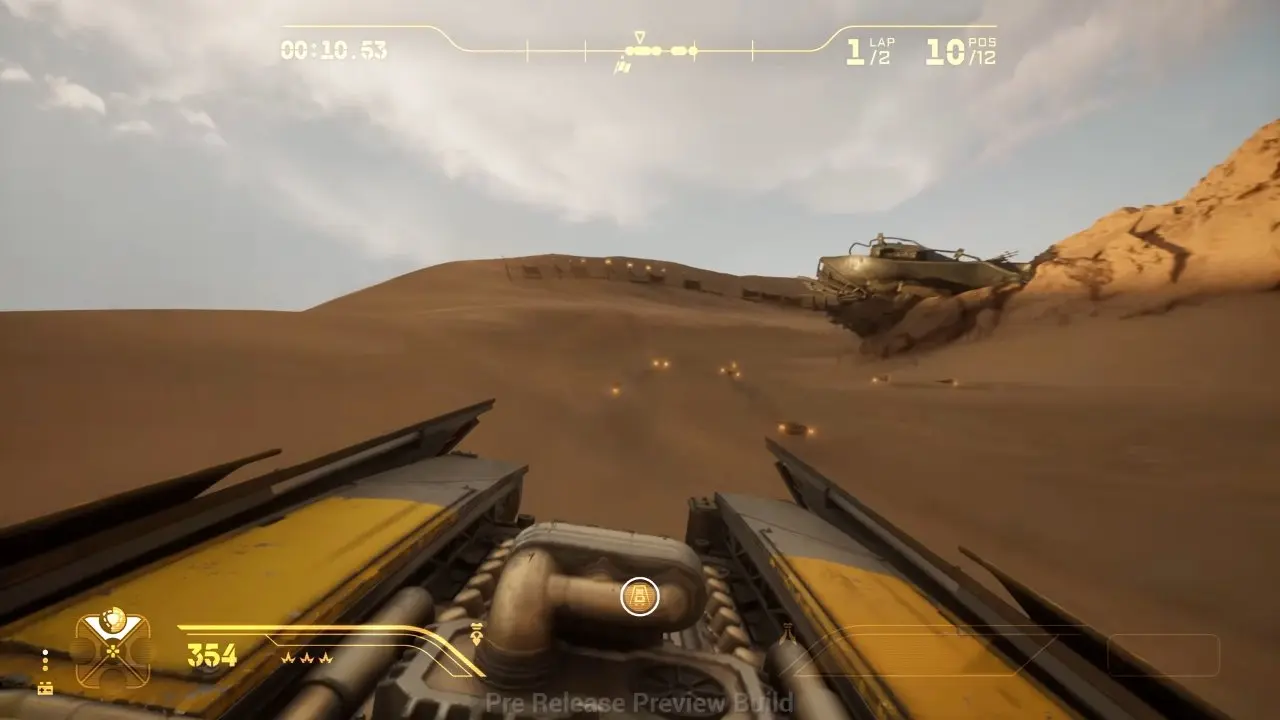
The camera moves to the front of your vehicle, as shown on the Jakku desert track above. This screenshot is from a pre-release preview build.
Press once more to return to chase view
The cycle loops back to the distant camera. Your selected view stays active for the rest of the current run.
Which of the three views should I choose?
Camera 1: Distant chase — recommended for visibility
The furthest-back camera gives you a wider view of the track, nearby racers and your surroundings. Choose it when keeping track of fast-moving action matters most.
Camera 2: Close chase
This view sits closer behind your character. Choose it for a tighter frame and a stronger sense of speed.
Camera 3: Vehicle-front first-person
This view places the camera on the front of your vehicle for a more immersive sense of speed. It gives up the distant camera's wider view of your surroundings.
The October 6, 2026 descriptions use two names for the third mode: “an additional camera that activates third-person” and “Camera #3 is a first-person camera”. Both are dated October 6, 2026. First-person gameplay is confirmed by the vehicle-front view shown above.
Can I look behind me or change the controls?
Move the Right Stick to turn the camera. Push it up to rotate the view 180 degrees and see behind your vehicle. Keyboard camera movement uses End / Delete / Page Down; a specific keyboard rear-view input is not confirmed yet.
As of October 7, 2026, controls cannot be rebound. An alternate controller scheme is available, but its camera-toggle buttons remain the same.
Official camera-button instructions and whether a patch changes these bindings are not confirmed yet as of October 7, 2026. Persistence after restarting the game or starting another run is also not confirmed yet.