
Before starting a new Campaign Tour, you can customize your vehicle on the vehicle selection screen. For STAR WARS: Galactic Racer customization, highlight your ride and press Square on PS5 or X on Xbox, then use Choose Model, Edit Vehicle, or Edit Livery to change its appearance. For performance changes, use permanent vehicle-type upgrades or fit parts at Hibi's Paddock workshop.
Where do you open vehicle customization?
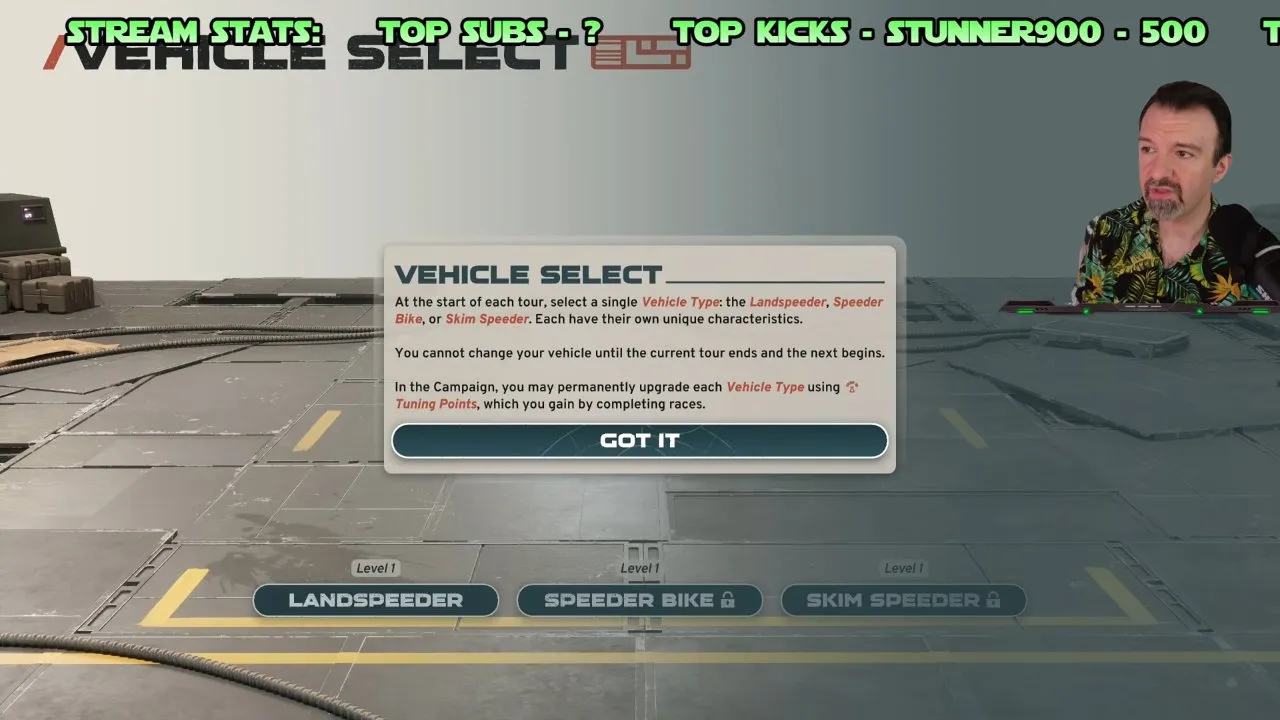
- Start a fresh Campaign Tour and reach Vehicle Select. You are in the right place when the vehicle-class buttons appear, rather than a race pause menu.
- Highlight the vehicle you want to customize. Pick your class carefully: you cannot change vehicles until the current Tour ends and the next begins. Compare STAR WARS: Galactic Racer vehicle types before committing.
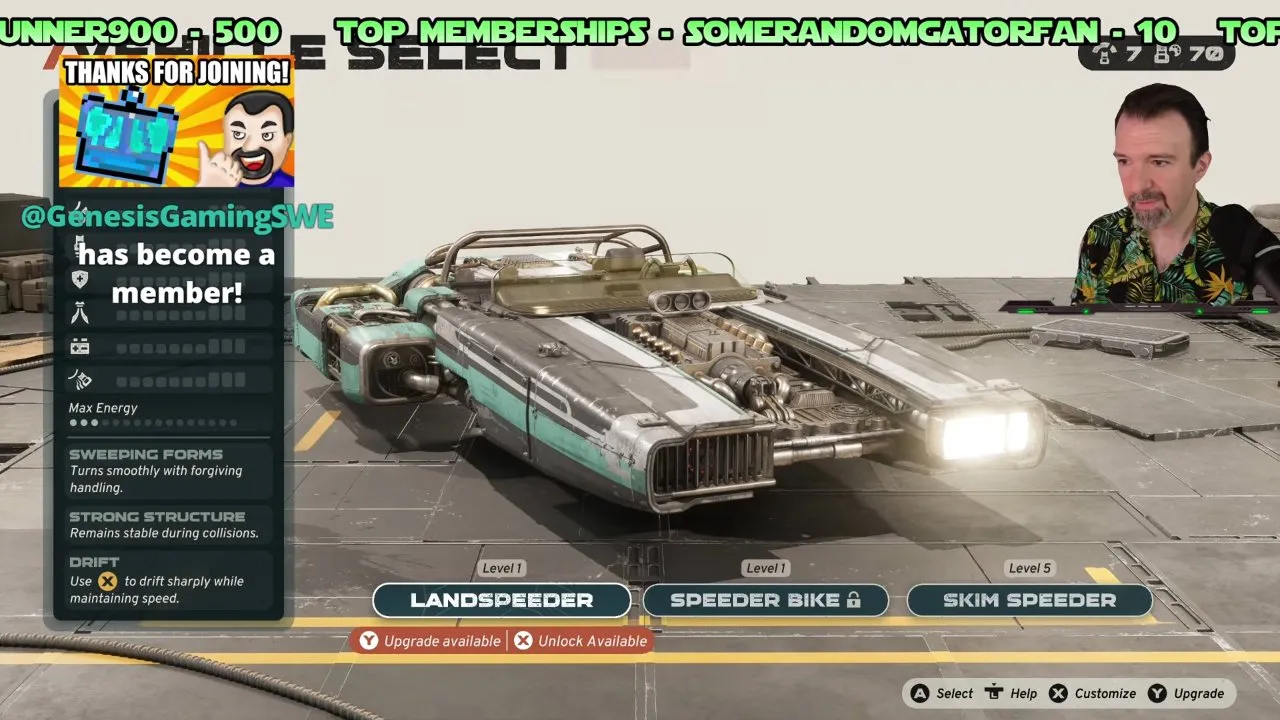
- Press Square on PS5 or X on Xbox. On the Xbox screen above, the bottom-right prompt reads X Customize. The next screen gives you the three appearance menus shown below.
You can customize vehicles, but appearance editing is restricted to the start of a new Campaign Tour. You cannot open it during an active Tour or from a race pause menu. Nobody has confirmed the PC keyboard shortcut in these materials; check your on-screen Customize prompt instead.
Which appearance option should you choose?
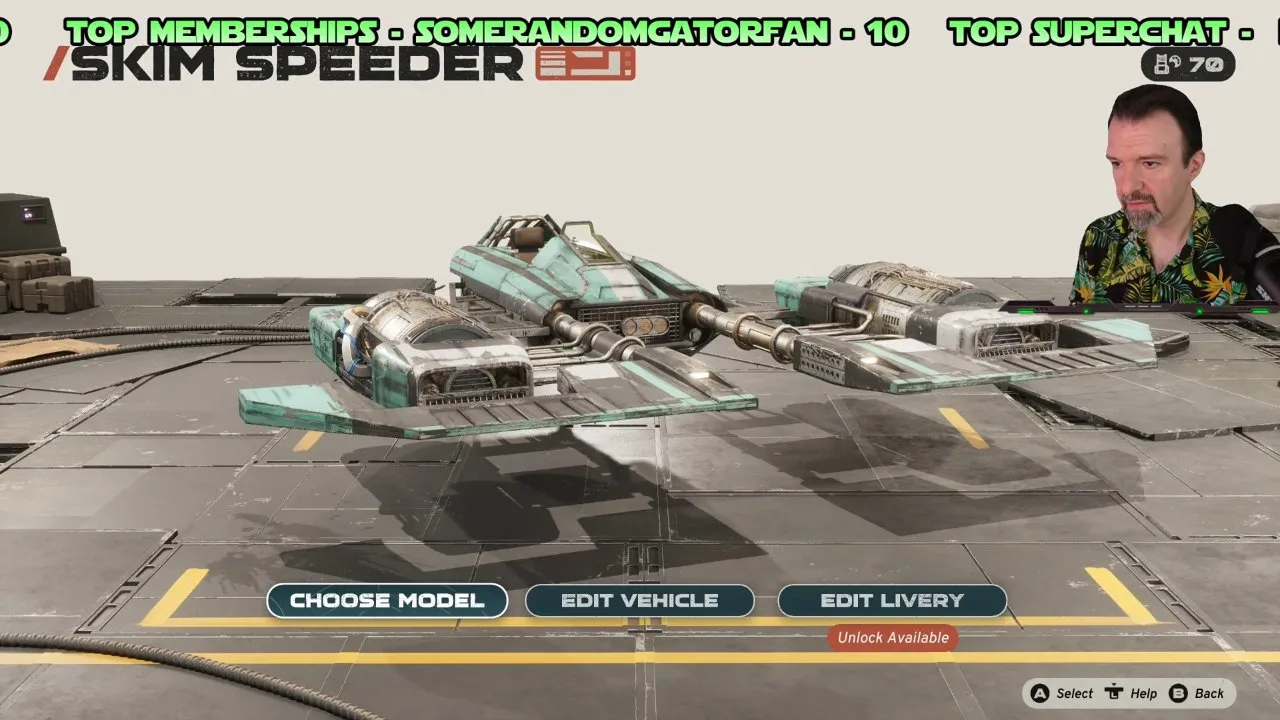
The menu can look like another tuning screen. Read it as three ways to change your vehicle's look: its overall model, individual body components, and paint. These cosmetic changes do not improve speed or handling.
Choose Model: change the overall shape
Use Choose Model when you want a different silhouette within the same vehicle type. Models share the same base stats, so choose the look you like rather than chasing a faster variant.
Check the displayed model as you browse: the vehicle's overall appearance is what changes. Model unlocks use credits, so check the cost before buying one.
Edit Vehicle: change individual components
Use Edit Vehicle when you like the model but want to adjust its details. You can replace the front, left and right front sections, left and right engines, and rear components.
After changing a section, check that part of the displayed vehicle. An engine swap in this cosmetic menu changes its appearance; visit Hibi for parts that provide stat boosts and abilities.
Edit Livery: recommended for paint changes
Go straight to Edit Livery if your goal is a different color or finish. It controls patterns, color schemes, and patina, the surface texture that gives your ride a cleaner or more weathered look.
Check the displayed paint and surface finish after each change. You can also apply owned pre-order or Deluxe Edition cosmetics through these appearance menus; see STAR WARS: Galactic Racer Deluxe Edition for the edition rewards. Applying your first livery or skin unlocks Let's Build a Real Racer, so the achievement or trophy notification is an extra confirmation.
How do you improve performance without wasting points?
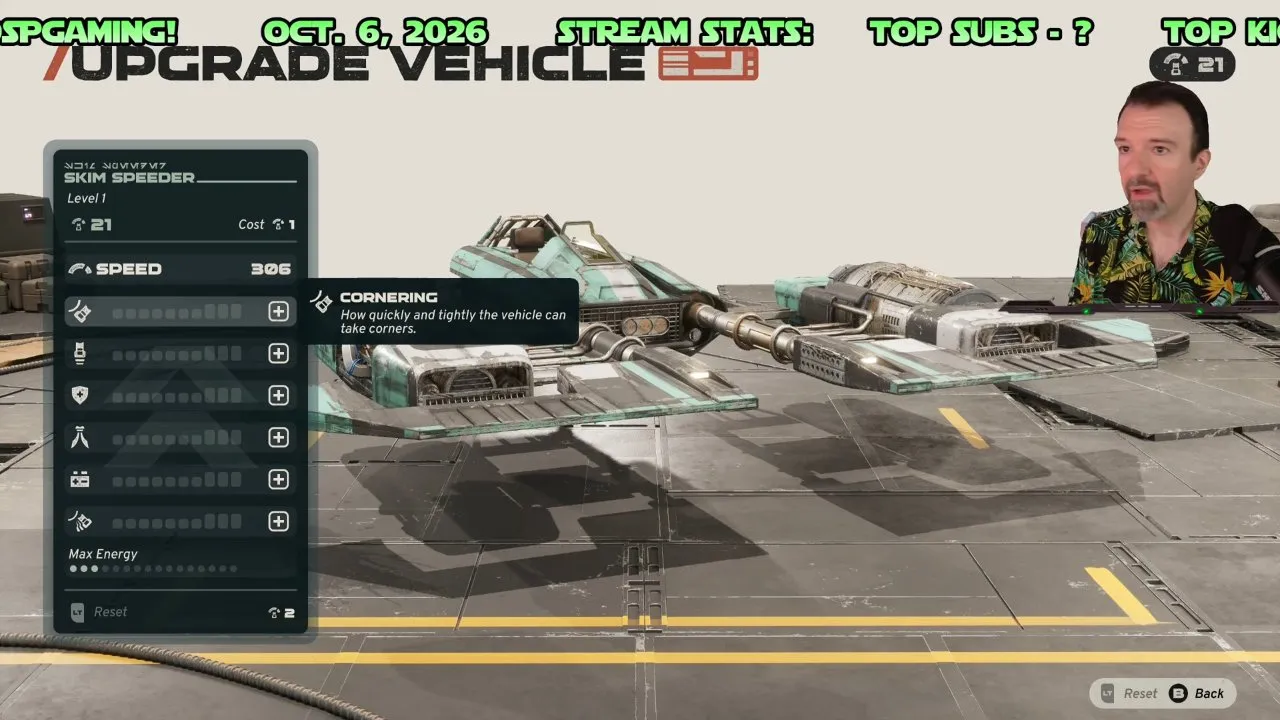
Permanent vehicle-type upgrades: recommended before cosmetic spending
Campaign races award Tuning Points for permanent upgrades to each vehicle type. The Cornering tooltip above describes how quickly and tightly your vehicle can take corners. If that is the behavior you want to improve, use the performance upgrade screen rather than buying a different body shape.
Read the highlighted stat and its cost before upgrading, then check the stat indicator and remaining points afterward. Later upgrades cost more. One player had 21 points in the video and could only afford part of the upgrades they wanted, so leave room in your budget for performance improvements.
Do not assume every appearance unlock costs Tuning Points. Model unlocks use credits, and nobody has confirmed one currency rule covering all cosmetic components, paint schemes and finishes. Read each item's price before spending, and prioritize performance when an appearance purchase would use your upgrade points.
Hibi's workshop: fit parts for your racing style
Each planet's Paddock has Hibi's workshop. You can install parts you have earned or buy parts from Hibi, gaining stat boosts and abilities suited to your racing style. Hibi also adds experimental parts.
Check the part's listed stat boost or ability when fitting it. The restriction on appearance editing during a Tour does not prevent these workshop performance adjustments.
You now have a route to change your ride's model, components and paint, plus separate ways to improve its performance. Once the appearance is right, use STAR WARS: Galactic Racer best build to plan your next performance choices.