
Hold acceleration, start a drift and tap the brake to tighten turns. If you're learning how to drift in STAR WARS: Galactic Racer™, start with a landspeeder's regular drift, then adjust your steering to the corner. You can hold acceleration and brake together to shed a little speed without throwing away your momentum.
How do you drift without losing speed?
Keep accelerating and use only as much steering and brake as the corner needs.
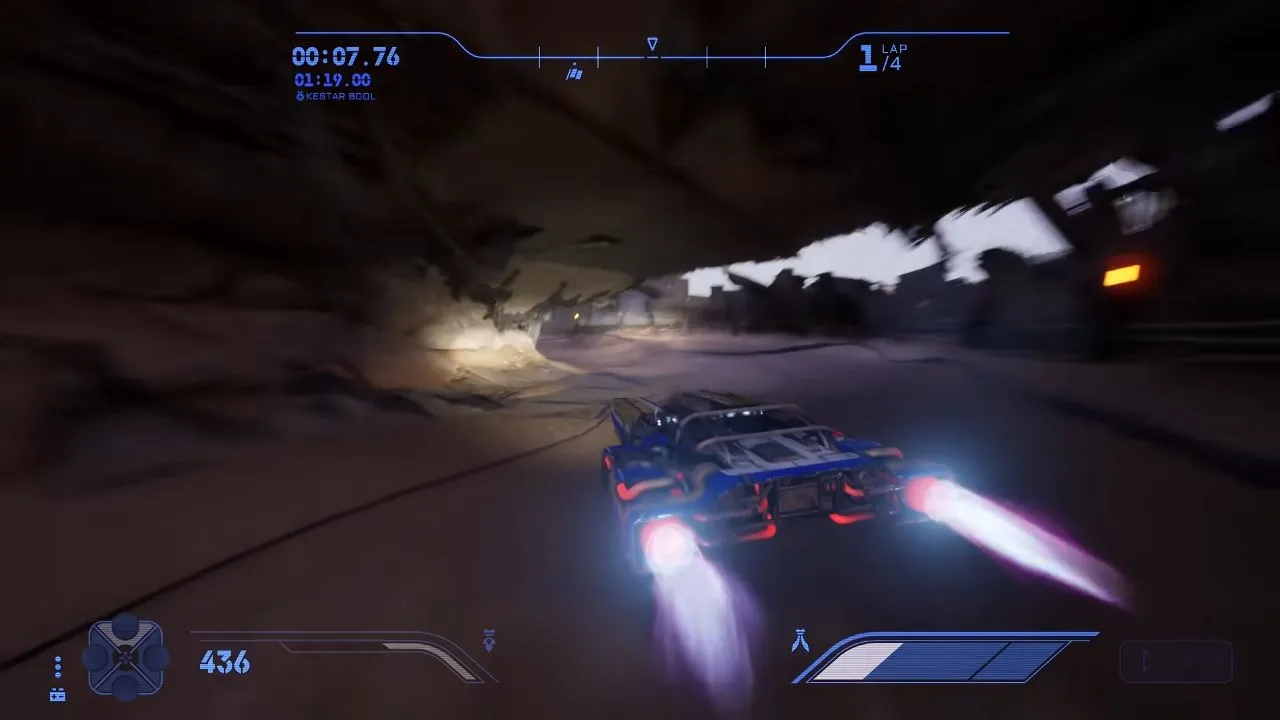
The rocky bend shown at 5:16 has room for a wide arc. In the video, a small stick movement keeps the landspeeder drifting through it while preserving more speed than a sharp steering input. Watch the vehicle's angle and speed HUD together: a bigger slide angle isn't automatically a better turn.
- Set up your entry before the bend. Read the lights and track markers around the outside of the turn. Check that your approach leaves room to rotate toward the exit.
- Hold acceleration and start your drift as you turn. On a roomy bend, try a small steering input. You want to see the landspeeder follow the curve without sliding toward the outside wall.
- Tap the brake if you need a tighter arc. Keep acceleration held. Check that the vehicle rotates toward the exit while the speed HUD shows only the slowdown you need.
- Ease off the brake when you're aligned. End the drift early enough to straighten out. Your check is an exit facing down the next straight, with space clear of the wall.
For learning this rhythm, a landspeeder is the recommended starting choice: its handling is built for stable drifting. Compare the other Star Wars Galactic Racer vehicle types before carrying the same inputs across classes.
How do you drift through tight corners without hitting the wall?
Prepare your line earlier, tighten the drift with short brake inputs, then release as you line up with the exit.
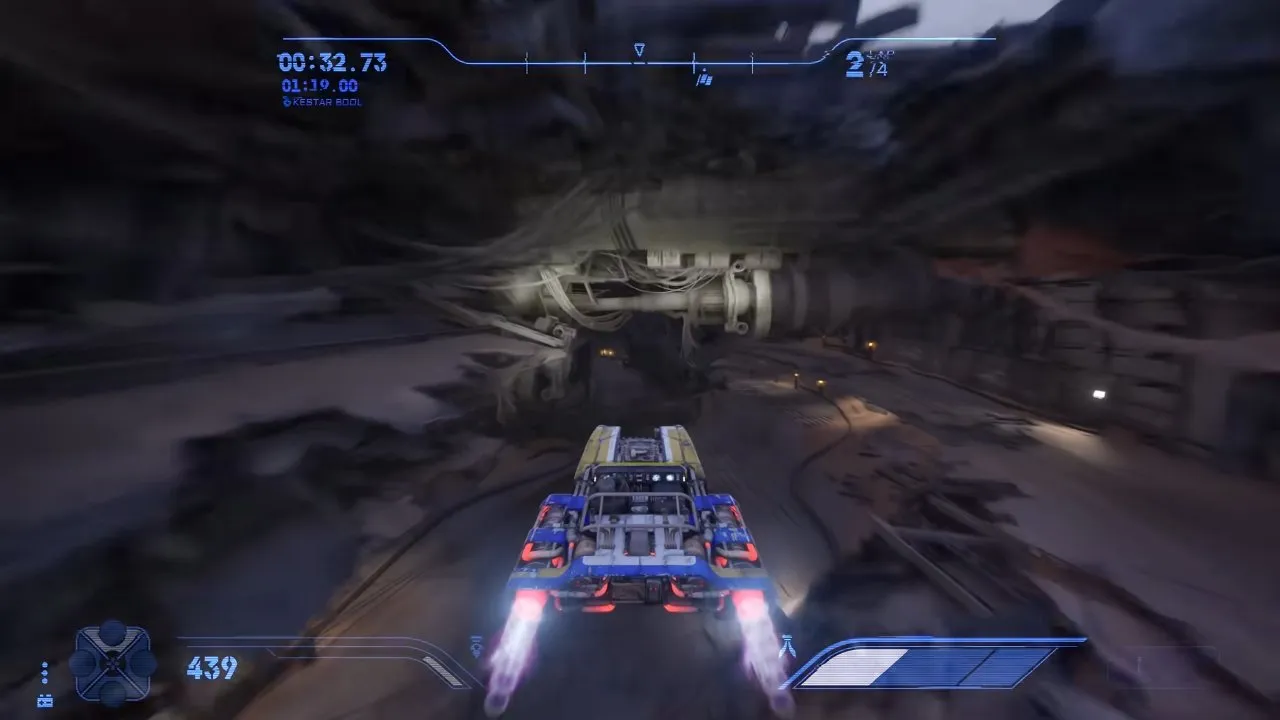
The next bend, shown at 5:28, is enclosed by rocky walls. The video demonstrates why the previous corner's wide arc won't work here: you need a tighter line to avoid the wall. Let the space ahead decide your steering, rather than repeating the last turn's inputs.
If you still run wide, brake earlier or add more brake pressure on your next attempt. If you crawl out of the turn, shorten the brake input instead. A slightly longer clean route is the steadier choice when the shortest line sends you into a wall or ruins your approach to the next bend.
| What you see | What to change | How to check the correction |
|---|---|---|
| Sliding toward the outside wall | Brake earlier or harder | Your arc clears the wall |
| Vehicle doesn't rotate enough | Start the drift earlier and add braking | The nose turns toward the exit |
| Too much speed lost | Hold the brake for less time | You leave the bend with more speed on the HUD |
| Exit facing the wrong direction | Release the drift sooner and straighten out | You face along the next straight |
What button do you press to drift?
The default control table lists Advanced Maneuver as Xbox X, PlayStation Square and keyboard Space bar; nobody has confirmed its direct mapping to Drift, Kinetic Burst and Knife Edge in the supplied material.
| Action | Xbox | PlayStation | Keyboard |
|---|---|---|---|
| Advanced Maneuver | X | Square | Space bar |
| Accelerate | RT | R2 | W |
| Brake | LT | L2 | S |
| Steer | Left Stick | Left Stick | A / D |
Keep that distinction in mind when checking your controls. For a landspeeder, the visible result you're looking for is the sideways arc shown above, rather than assuming a control label alone proves the mapping.
Do speeder bikes and skim speeders drift the same way?
Speeder bikes use Kinetic Burst and skim speeders use Knife Edge, so holding either maneuver too long costs speed.
Speeder bike: release Kinetic Burst for acceleration
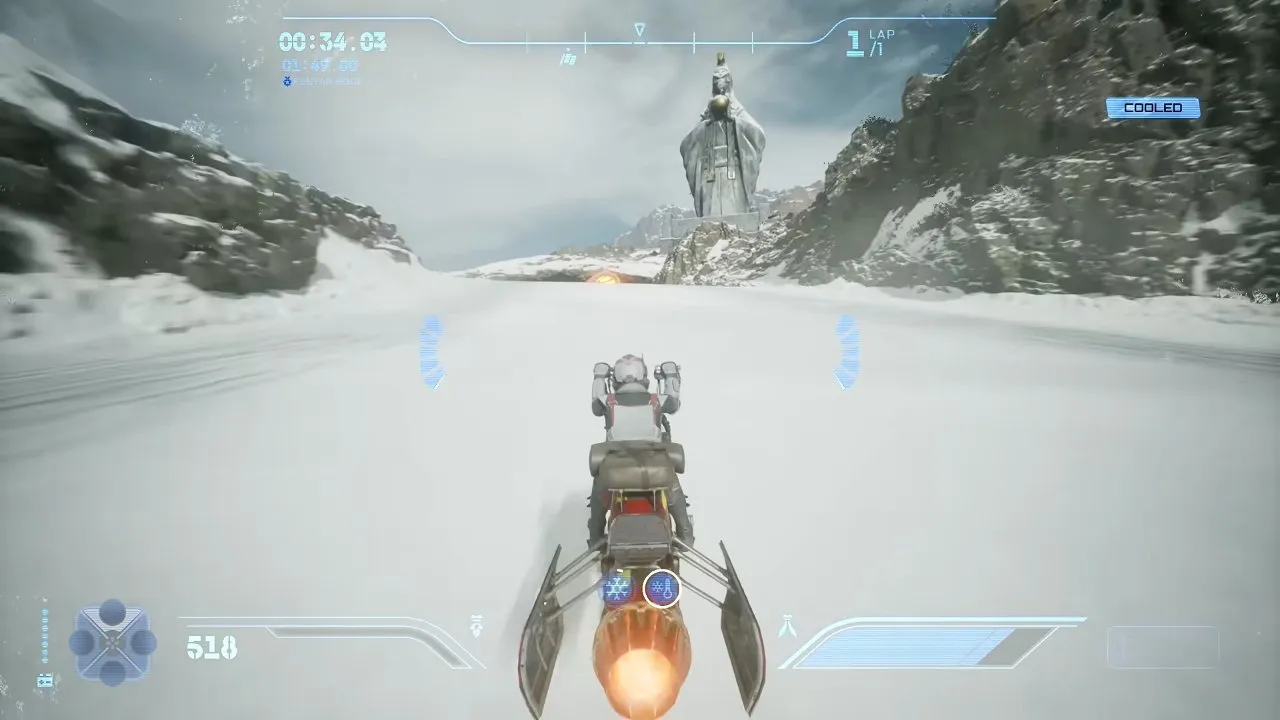
Kinetic Burst stores braking energy and releases it as acceleration. At first it can feel like a drift that slows you down; the payoff comes when you let go. In the video around 7:31 to 7:56, the bike slows during a long hold and gains a small burst when released. The snowy-track frame at 7:41 shows the acceleration moment with an orange exhaust plume.
Turn to the angle you need, release for the burst, then repeat if the bend needs another correction. The video player found this quicker than one continuous hold. Check for forward acceleration after each release, and keep an eye on your line: the burst can produce wide turns if you haven't mastered it.
Skim speeder: release Knife Edge before it drags down speed
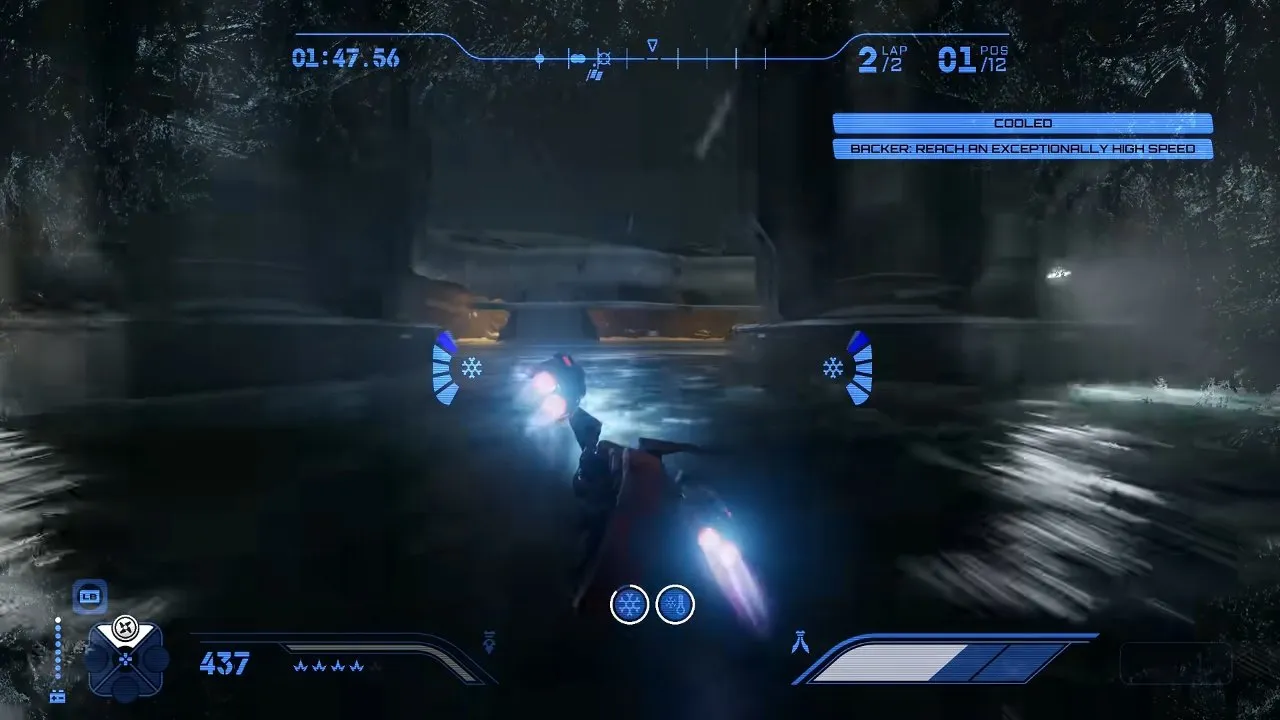
Knife Edge lets the skim speeder handle sharp corners. The side-on tilt at 8:02 is the visible maneuver; it can look like a regular slide, but you need to manage its release timing. Holding it too long slows you down, as the video explains around 7:57 to 8:20.
Release once you have the angle needed for the exit. Watch the speed HUD alongside your line to judge whether you're staying in Knife Edge longer than the turn requires.
Podracers take tight turns with an airbrake that drops their speed dramatically. Don't carry the speeder release rhythm straight into a podracer; see the Star Wars Galactic Racer podracer page for that vehicle group.
Once you can clear the wall, face the exit and carry speed onto the straight, you've got the core drift rhythm. Take that control into the Star Wars Galactic Racer tips page for your next racing priorities.